This repository was archived by the owner on May 22, 2025. It is now read-only.
AI Rework | 2024 edition #21266
Merged
AI Rework | 2024 edition #21266
Conversation
This file contains hidden or bidirectional Unicode text that may be interpreted or compiled differently than what appears below. To review, open the file in an editor that reveals hidden Unicode characters.
Learn more about bidirectional Unicode characters


This reverts commit af1d1c6.

Update traffic_control.dm


Contributor
|
might want to revert this
EDIT: ignore this |


Aquizit
approved these changes
Mar 31, 2024

ToasterBiome
approved these changes
Apr 1, 2024

Yogbot-13
added a commit
that referenced
this pull request
Apr 1, 2024


aprilfools.mp4 |


Closed
Sign up for free
to subscribe to this conversation on GitHub.
Already have an account?
Sign in.


Add this suggestion to a batch that can be applied as a single commit.
This suggestion is invalid because no changes were made to the code.
Suggestions cannot be applied while the pull request is closed.
Suggestions cannot be applied while viewing a subset of changes.
Only one suggestion per line can be applied in a batch.
Add this suggestion to a batch that can be applied as a single commit.
Applying suggestions on deleted lines is not supported.
You must change the existing code in this line in order to create a valid suggestion.
Outdated suggestions cannot be applied.
This suggestion has been applied or marked resolved.
Suggestions cannot be applied from pending reviews.
Suggestions cannot be applied on multi-line comments.
Suggestions cannot be applied while the pull request is queued to merge.
Suggestion cannot be applied right now. Please check back later.
Document the changes in your pull request
All AI machines now need to wired up using ethernet cables into a network.
A data core will require a locally connected server with at least 1THz and 1TB to be functional.
A network consists of all the locally connected machines.
Two networks can be connected using a networking machine. This allows the AI and Netmin to use the resources and cores in both networks.
Changes to the AI data core
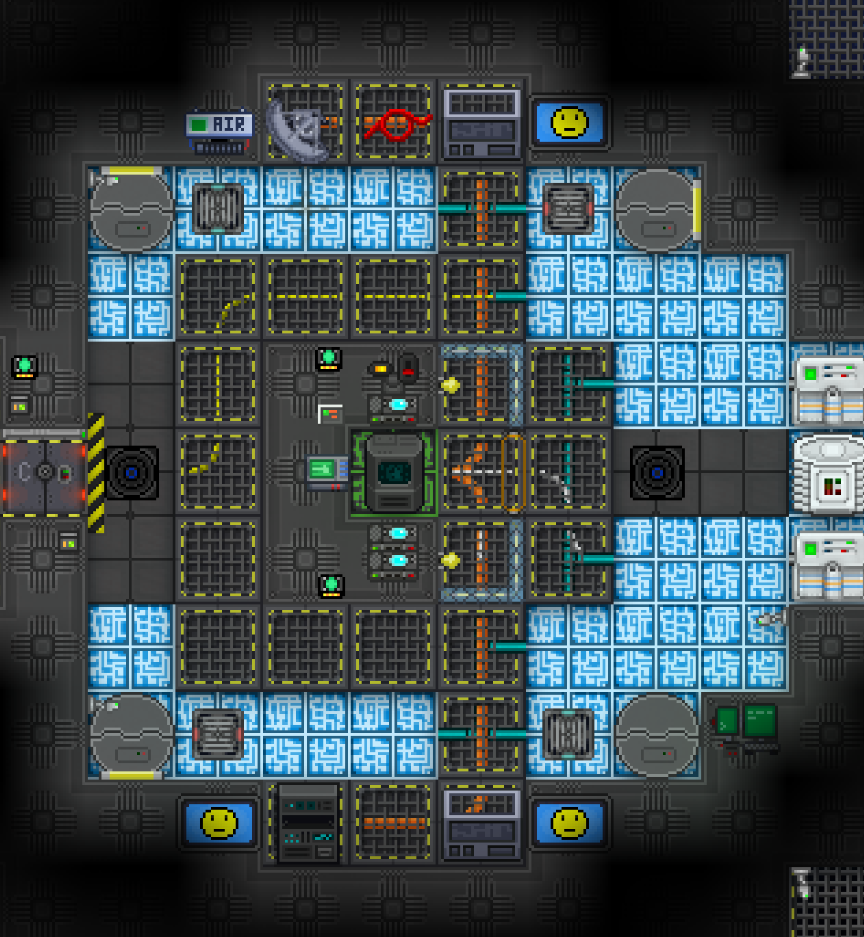
The AI Core now looks like this with the weird new sprites being networking machines. They point towards the one they're connected to if you want to snoop out where other networks might be
Changes to the Netmin
The Network Admin now lives in Science in the new Computer Science room.
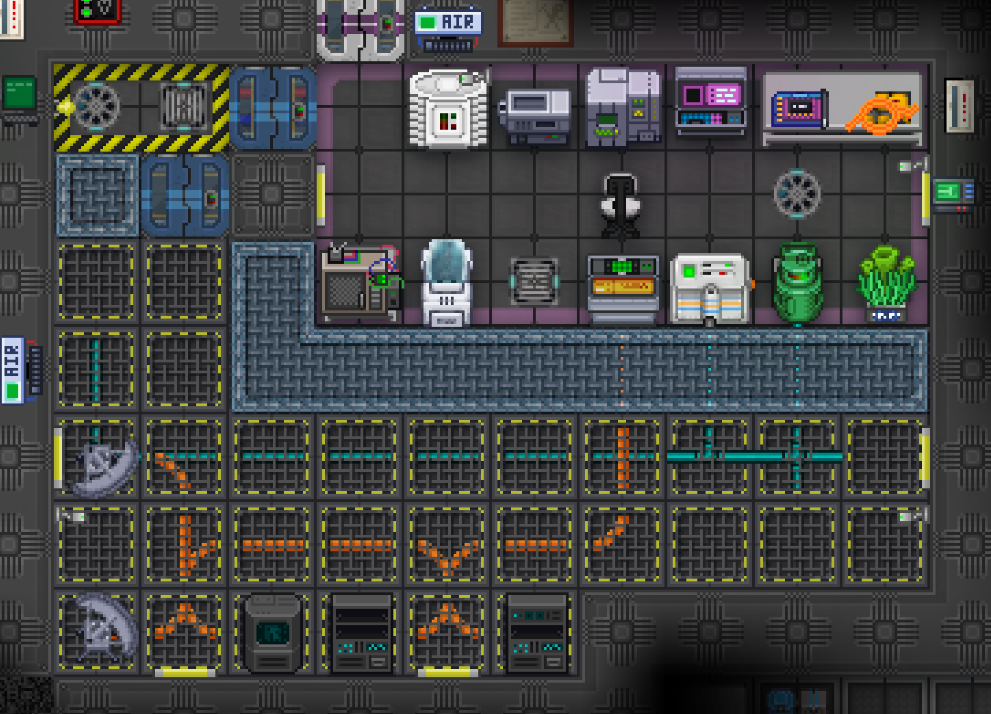
Their tool to interact with a network is now either the laptop they spawn with, or a modular computer connected with an ethernet cable.
Accessing the network using such a console allows for (at present) 3 actions. These all work based on the CPU assigned to the local network.
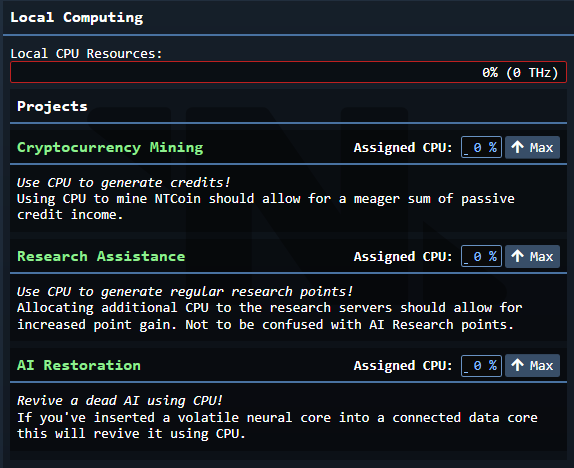
In addition to this it allows you to remotely control networking machines in the local network.
It allows allows the distribution of networking resources to either the connected AIs, or the network itself.
This is also the way you'll be uploading and downloading AIs now.
If you're uploading you need to upload to a network that either has a data core locally, or one connected through a networking machine. Likewise for downloading.
One other minor feature added is a leaderboard program you can download. If connected to a network this will show the persistent five highest CPU and RAM records.
Networking Machines
If the AI has an unconnected network machine you can force access to it using your own machine. To do this you rotate it using a wrench within 20 degrees of the other machine. Then you use a multitool and select the machine you want to connect to. After this is all done you use a screwdriver to finalize the connection. You can disconnect manually by using a wirecutter, or the UI.
The Master Subcontroller
A new machine has been added to the RnD server room.
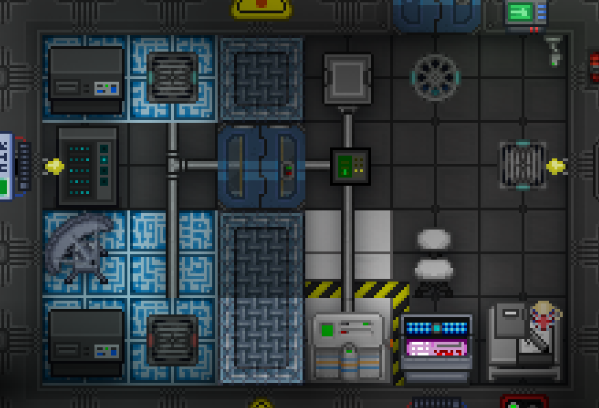
If an AI is connected to this machine via a networking machine they will be able to instantly open doors, access APCs and access firealarms. Without it there's a 1 second delay for doing these actions.
If you multitool the master controller you can disable individual departments from working, even if connected to the AI.
At roundstart the security department is DISABLED, and the AI will have a mildly harder time doing stuff in security.
Synthetics
These creatures are more hardy than humans, have inherent pacifism and can't use any kind of stunweapons. They "bleed" white fluid instead of blood, and they're very white. These are meant for small non-combat related jobs that the station may need.

They have access to common areas + the service department. Access is granted to other departments via an app on the relevant heads PDA
Synths are bound by a governor system:
In addition they've bound by the following laws:

Misc Additions
The new local networks will change and allow a few new things.
New project - Room Lockdown
Allows the AI, after a delay of 2 seconds, to close all working airlocks in a room and bolt them for 20 seconds. Also triggers the firealarm. Doesn't work in maint and announces itself at the start of the 2 second delay.
New project - Heuristic Language Translation
Allows the AI to understand (but not speak) languages after hearing 8 messages containing that language. Currently ratvarian, codespeak, vampiric and xenocommon is barred from being translated.
Requires 10% of your CPU to be allocated while running. Progress is not lost when disabling the program.
AI Revival
No longer is the AI permanently dead when its last core is destroyed. Instead it spawns a black box at the last core it was in.
This core is active for 5 minutes. After these 5 minutes the AI is permanently dead.
You can revive the AI by inserting it into a working AI data core. (This also stops the 5 minute timer)
After its been inserted the local network the core is connected to must be set to AI Revival and the AI will then be revived after enough CPU cycles have been spent.
Network Admin Exploration
The Network Admin can now use the VR sleeper in their room to access exploration missions. These missions contain unique components and unique research.
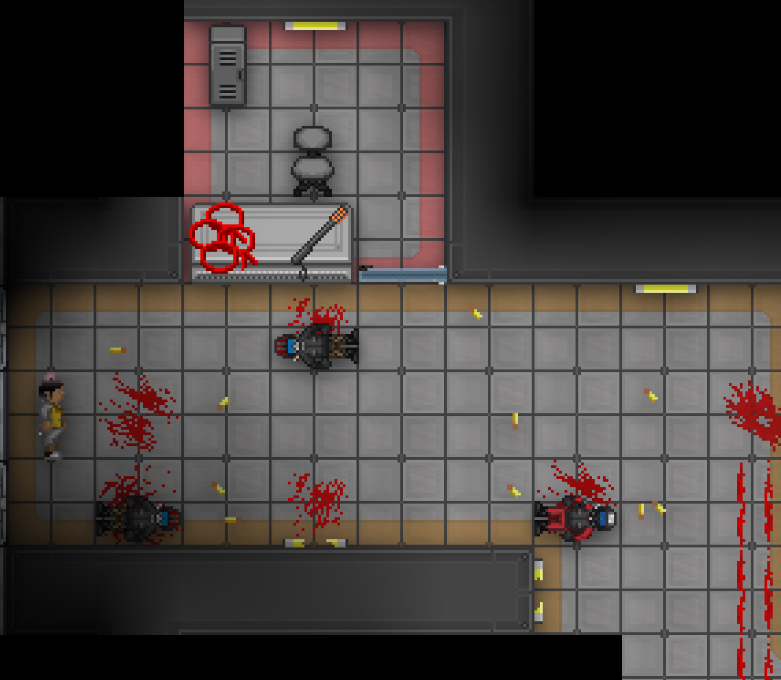
Currently just a mockup, only 2 added for now. One is just a walking simulator and the other one has some combat.
When you find the unique item you can put it in the microwave in your VR spawn and it will be transported to the station.
Future plans are to allow an AI to join you on the missions, plus allow you to buy equipment and unlock new missions using CPU on the station.
Super Misc.
Added an easy way to use the TGUI login screen seen in the Security Console.
Use tgui_login_data in ui_data and tgui_login_act in ui_act. Use LoginScreen.js in the UI. See how the security console does it. (Only requires a var to keep track of being logged in/out)
Netmin retains access to Comms and the Tcomms satellite. NTSL equipment has been moved to the satellite and the old Hardware Workshop has been replaced by a small lounge
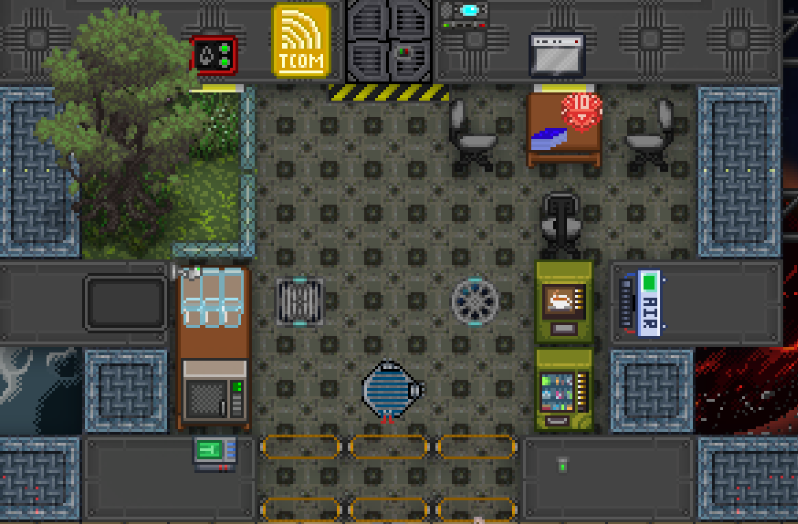
TODO
Changelog
🆑
rscadd: AIs are now housed in physical networks connected by ethernet cables. Networks can be remotely connected using networking machines. AIs can only switch between cores in networks they're connected to.
rscadd: AI upload and download is now done by hooking up a laptop or modular computer to an ethernet cable and using the AI Network Interface program
rscadd: It is now possible to revive an AI by inserting the dropped black box into a functioning data core and allocating CPU using the AI Network Interface program
rscadd: Added a new program, Room Lockdown, for the AI. Allows the AI to click an area and lock all working airlocks after a 2 second delay. An announcement is made beforehand.
rscadd: The Network Admin now has a VR sleeper and can go on short self-contained exploration missions to get unique components
rscadd: It now takes the AI 1 second to open doors unless it's connected to the master subcontroller in the RnD server room. If you multitool this new machine you can also disable instant door/apc/airalarm access for specific departments.
rscadd: NanoTrasen has procured some older model synthetics. They'll be assisting around the station with various tasks
/:cl: