btn input-type="checkbox" using computed setter error #284


Description

Version & browser
[email protected]
FireFox
Which component
<btn input-type="checkbox" ...>
Steps to reproduce the problem
Click on any of the checkbox buttons in the below component code.
Check the Developer Tools Console, for console.log message "ERROR: IS NOT array".
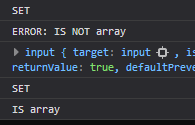
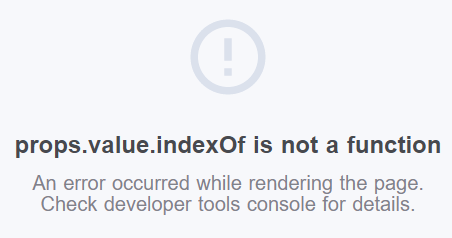
If you don't check for Array.isArray() then you get an error:
props.value.indexOf is not a function
Reproduce link
See code below
Expected behavior
Only execute the setter once with the array value.
Actual behavior
Executes the setter twice.
The first being the input object.
The second is the array value.
Have to check for array value in order to disregard input obj.
<template>
  <div>
    <div class="col-xs-12">
      <label for="numbers">Select any numbers</label>
      <btn-group id="numbers">
        <btn input-type="checkbox" :input-value="1" v-model="numbers">1</btn>
        <btn input-type="checkbox" :input-value="2" v-model="numbers">2</btn>
        <btn input-type="checkbox" :input-value="3" v-model="numbers">3</btn>
        <btn input-type="checkbox" :input-value="4" v-model="numbers">4</btn>
        <btn input-type="checkbox" :input-value="5" v-model="numbers">5</btn>
      </btn-group>
      <alert>{{numbers}}</alert>
    </div>
  </div>
</template>

<script>

export default {
  data() {
    return {
      fakeVuexNumbers: []
    }
  },
  computed: {
    numbers: {
      get() {
        return this.fakeVuexNumbers
      },
      set(value) {
        console.log("SET")
        // Warning: uiv (0.31.5) <btn input-type="checkbox"> calls this setter twice, first is the btn object.
        if (Array.isArray(value)) {
          console.log('IS array')
          this.fakeVuexNumbers = value
          this.$emit('input', value)
        } else {
          console.log('ERROR: IS NOT array')
          console.log(value)
        }
      }
    }
  }
}
</script>