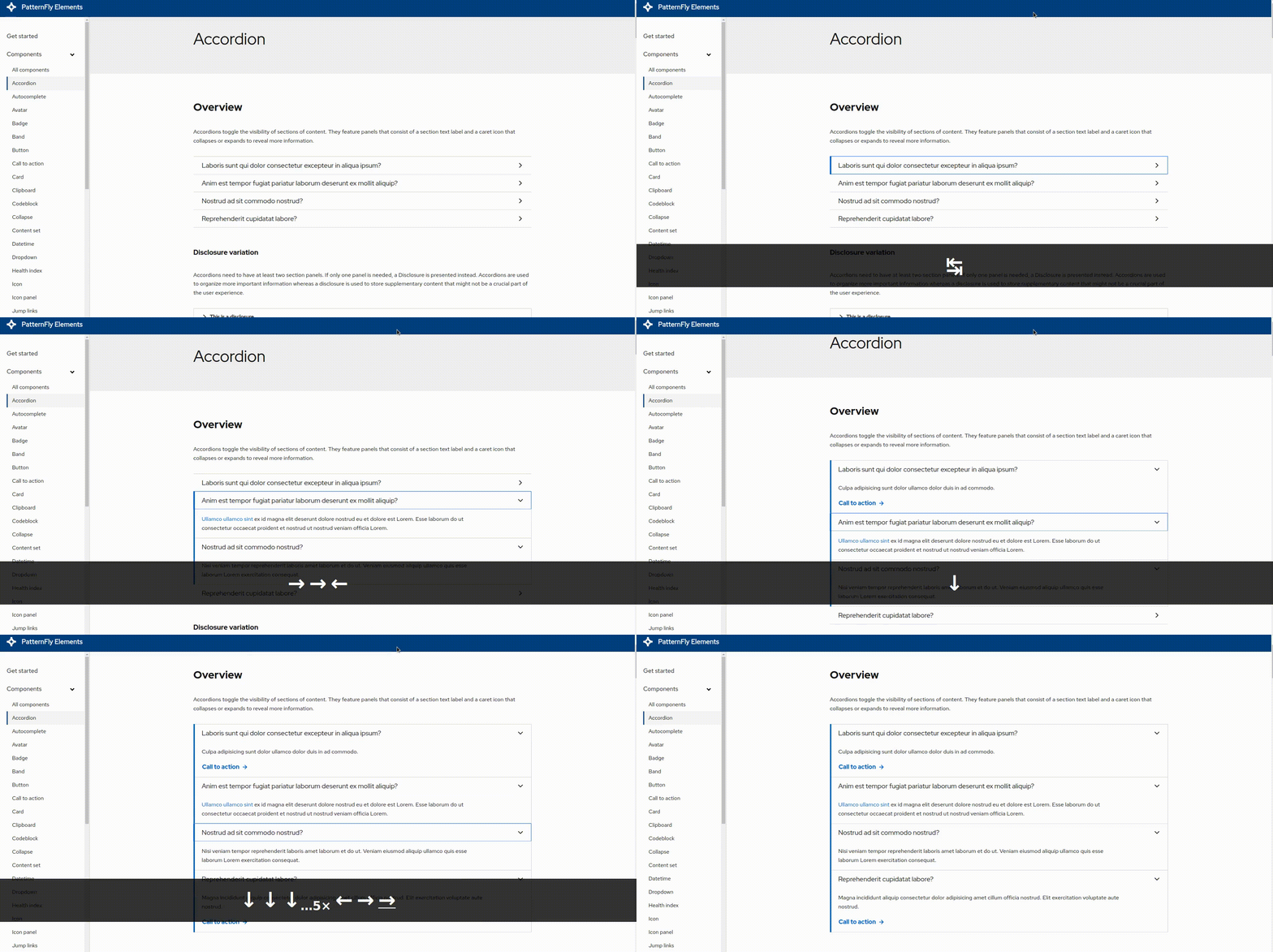
[Bug] When navigating through the accordion panels with the arrow keys the panels activate automatically #1813


Description

Description of the issue
When you navigate through the accordion with assistive tech and the keyboard, pressing the arrow keys to switch to different accordion panels is also activating the panels. The keyboard pattern for accordions is that the arrow keys ONLY shift the focus to the next or previous panel.
Impacted component(s)
Steps to reproduce
- Go to https://patternflyelements.org/components/accordion/
- Use the tab key to navigate to the first accordion panel on the page
- Press the left, right, up, or down arrow keys to navigate through the panels
- You will see that the panels open automatically when they receive focus via the arrow keys
Expected behavior
The expected behavior is that the arrow keys only allow users to navigate through the accordion panels. The enter key and spacebar key are the only methods used to activate the panels and display the content. This method must be activated by the user expressly and should not happen automatically.
See
Screenshots