Bring -l auto-legend to grdcontour and contour #1838
Conversation


In response to #1826 I have added -l to grdcontour and pscontour. Works fine.

|
If I use |

|
Yes, we should discuss this. It is a bit like plotting many symbols in plot at once. Perhaps -l can be repeatable, e.g. -l"Major contour"+s0.5c -l"Other contour"+s0.5c and then the first is annotated and second is non-annotated. Or we add a new +p modifier to set the pen we want directly. |
|
Since we want the -l option to make super easy and simple legends, we don't want to get bogged down in too complicated scenarios - for that there is the full legend syntax. It seems to me for contours we know that the simplest and most typical scenario is annotated contours and regular contours, using different pens by default. We know if both -C and -A were used or not. If only one was set then -l is straightforward and we use the pen that is used for those contours. If both are used (the more common case) then the user can given the -l option in one of three ways: The first will only add a single legend entry using the annotation pen, the third will add a single entry using the contour pen, while the middle entry will add two legend entries with the two separate pens and the two labels. This seems pretty simple and straight ward to me, versus introducing more modifiers etc. What you think? |
|
I should add I am not sure if it is really important to have two entries in the legend for annotated versus regular contours tough. Does it really add value to have two slightly different lines with labels "Main annotated contours" and "Other contours" that is not obvious from the map? Yet, the above solution would allow it,. |
 PaulWessel
changed the title
PaulWessel
changed the title


|
Agree, Paul. stay KISS. |

This makes the code easier to read.
|
I want to bring this issue to a conclusion. Here is my proposal: -lannotlabel : This will create a single legend entry using the annotation pen and this label. Thus, the most likely and default situation is we use the annotation pen to create a legend entry for the annotated contours. Would you agree with this, @joa-quim and @seisman? |
New test contourlegend.sh shows how to annotate both annotated and regular contours via -lannot/regular.
PaulWessel
changed the title
|
Not sure why the Windows build fails, @seisman, something about dependencies? |
|
BTW, I have completed the implementation of -l for the contour modules. Once can place either or both of the contour lines in the legend. I added a test. |
|
-lannotlabel works but the other two don't work. Try: |
|
Hm, all those work fine for me - are you on the right branch @seisman ? |
|
Yes, I'm using 6.1.0_e6bda85_2019.12.27. The second command gives me some warnings:
|
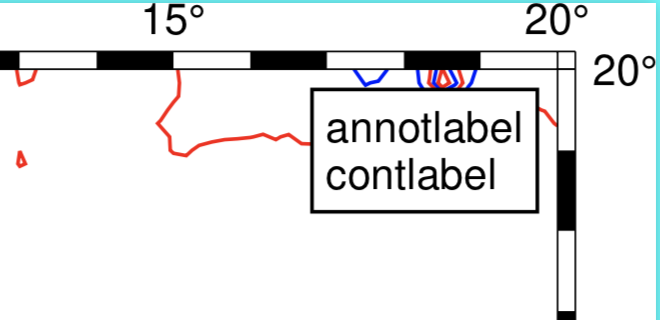
|
I am running 6.1.0_d5f689f_2019.12.28 I get no warnings and all three example plots perfectly. Even after a lengthy upgrade to Catalina on the home iMac... |
|
Take that back, I see those warnings and will look into them. But plots work... |
|
OK, that parsing of - is not gone. It was meant to indicate a default size of 0.5 cm but I forgot to skip a step. |
|
The WARNING about the legend height will be demoted to INFORMATION. It is a normal action. As for the central longitude - we never set that with -JM so not sure if this is a good warning either. |
|
Unrelated to this PR I have found that auto-legend placement in subplots are having some issues. Will make an issue soon. |
|
I still got wrong legends for |
|
Strange. Can you do two things for me:
|
|
gmt.legend: Debug message: |
|
See if this update helped, @seisman. |


In response to #1826 I have added -l to grdcontour and pscontour. Works fine, e.g.,
gmt grdcontour @earth_relief_10m -R0/20/0/20 -JM6i -A1000 -C500 -B -Wc0.5p,red -lContour+h"LEGEND"+d -pdf mapI also clarified that this mechanism currently is limited to symbols and lines (but not polygons).